Install the app
How to install the app on iOS

Follow along with the video below to see how to install our site as a web app on your home screen.

Note: This feature may not be available in some browsers.

A major sucky day... lost access to nginx proxy manager

5,208
1,792
NAS
💩🤔🪄🤣
How do these things happen? I have had npm docker container running on rpi and all seems well. When I went to log in to add a new RP entry, I get "bad gateway".

After updating images, deleting and re-adding the stack, and trying 3 different browsers, all with the same result, I'm flummoxed.

I suppose the next step is to recall all the forwards by memory (I must have screenshotted this) and return them to Synology... then maybe wipe the rpi database and try again. I haven't updated this system for quite some time. So "nothing changed" (yea, we've all heard that qualifier before).

Appreciate any wise words from the more experienced.

😬
 
Hmm, sorry to hear you have so much problem with this. I have to say I use mysql not maria for my needs (a shared instance with multiple other systems), and haven't had any problems at all.

The only time there was NPM problem was a password expired problem with a dedicated NPM SQL account, but looks like this is not the case here.

Booting a new SQL instance and restoring the current one into it, would be something that I would do, but not sure what to tell you in this case considering there are problems with exports.
 
Upvote 0
Last edited:
@Telos
summarization (checklist) of the issue:
1. HW RPi
2. running with Docker
---------------------------------------------------------
3. running with python3:
- check ver
Code:
python3 --version
- check pip
Code:
pip -V
Note: follow your npm log:
- you don't have installed python3-dev
Bash:
sudo apt install python3-dev
- also, you can upgrade pip (it's not necessary)
---------------------------------------------------------

4. Initial NPM deployment based on the compose attached in your #3 post
- is based on an independent container deployed by the image from yobasystems/alpine-mariadb:latest ... as is recommended by the NMP when the environment is running on RPi/ARM. OK
---------------------------------------------------------

5. Yours:
I have had npm docker container running on rpi and all seems well.
means:
A. the NPM container has been running for some time without the problems you describe in this thread. So you knew how to take all the steps leading to NPM management = so you have records in the DB. You knew how to log in to NPM without any problems, and you knew how to define RP processes.

B. this is the first installation on my RPi environment, and I have had a problem with it from the beginning.
---------------------------------------------------------

6. The problem
When I went to log in to add a new RP entry, I get "bad gateway".
Bad gateway or 502 is the problem of the webserver in the first instance, no matter what is in the background.
Then is necessary to see:
/var/log/nginx/error.log
/var/log/nginx/access.log
attach them here
In the second step. open Portainer and attach here logs from:
- NPM container
- MariaDB container

Then it will be more precise for an investigation.

Pls.:
- fell free to use your "TelosNote" in bold within my request. It will be helpful.
[automerge]1653030754[/automerge]
as @Rusty wrote
- single DB instance for containers, managed from a single point, including users management, backup/restore is a way to keep your mental health
- except the specific cases, which isn't the case for 99.999% of common Syno Docker users
- the SQL Workbench (client) is a great GUI tool running on all OS platforms, which helps you with almost everything
 
Upvote 0
summarization (checklist) of the issue:
1. HW RPi
2. running with Docker
---------------------------------------------------------
3. running with python3:
- check ver
Python 3.9.2
- check pip
Code:
pip -V
Screen output same as
Code:
pip -h
5. Yours:
means:
A. the NPM container has been running for some time without the problems you describe in this thread. So you knew how to take all the steps leading to NPM management = so you have records in the DB. You knew how to log in to NPM without any problems, and you knew how to define RP processes.

B. this is the first installation on my RPi environment, and I have had a problem with it from the beginning.
A. Correct
B. Incorrect
Then is necessary to see:
/var/log/nginx/error.log
/var/log/nginx/access.log
error.log is empty (0 bytes)
access.log does not exist
From Portainer console...
qgcxsNv.png

In the second step. open Portainer and attach here logs from:
- NPM container
- MariaDB container

Attached. Thanks!
 

Attachments

Upvote 0
MariaDB:
you have enabled “skip name resolve”
then you have conflict user vs host

I don’t have free time slot now, but Tomorrow I will solve it
 
Upvote 0
MariaDB log:
- there is an attempt to communicate with host "98f042e2e5cf"
root@98f042e2e5cf
- Incorrect definition of table mysql.event: expected column 'definer' at position 3 to have type varchar(, found type char(141).
and
- mysqld: Event Scheduler: An error occurred when initializing system tables. Disabling the Event Scheduler.


Check No.1 - strange host

Portainer/MariaDB/Console

1. login to the db as root
mysql -u root -p

2. just to be sure
GRANT ALL ON *.* TO 'root'@'localhost';

3.Check the status related the log:
SHOW WARNINGS;

4. Confirmation of the "ON" status
SHOW GLOBAL VARIABLES LIKE 'skip_name_resolve';

5. user list for localhosts related
SELECT user, host FROM mysql.user WHERE host IN ('%', '127.0.0.1', '::1', 'localhost');

6. Conflict in the host value
SELECT user, host FROM mysql.user WHERE host NOT IN ('%', '127.0.0.1', '::1', 'localhost');

--------------------------------------
Check No.2 - events
SHOW DATABASES;

use the NPM schema according to the list
USE 'theNPMschema'; Note w/o the quot. marks

SHOW EVENTS\G;
--------------------------------------

Send here all the outputs in TXT per check.

Then we will continue.
 
Upvote 0
See attached... I was unsure about your instruction "use the NPM schema according to the list" ... I used "npm"... if incorrect please advise.

Thank you!
 

Attachments

Upvote 0
Last edited:
@Telos

back to the basics:
502 Error or bat Gateway Error means:
the web server you’ve connected to is acting as a proxy for relaying information from another server, but it has gotten a bad response from that other server. It’s called a 502 error because that’s the HTTP status code that the webserver uses to describe that kind of error.

Is this your problem (visualised on the screenshot below)?

1653301801455.png


-------------------------------------------------------
Reproduction of your problem:

1. Scenario:
- DB is down (container stopped)

Login causes an Internal Error ..... this isn't your case:
1653300201519.png


-------------------------------------------------------
2. Scenario:
- wrong NPM DB/Schema admin user/psw

No relevant user found or Invalid psw ..... this isn't your case.
-------------------------------------------------------

3. Scenario:
- changed psw for NPM Schema Admin
= user based on the NPM docker-compose
or
- changed user's host value from "%" to "localhost"

where:
- DB_MYSQL_USER is the Schema Admin, and its psw is defined by DB_MYSQL_PASSWORD
- both are stored in NPM config.json - path: mounted volume defined in the docker-compose ... in your case: ./data
Result:
1653301801455.png

It was also confirmed by the lost communication from tcpdump between NPM container and DB container.
After repairing the psw or the host value - everything was OK.
-------------------------------------------------------

Workaround:

So, based on your last MariaDB checklist uploaded and a lot of scary deployments, you need open SSH in your DB:
(deployed docker-compose is needed for copy-paste steps)

A. renew the DB_MYSQL_USER grant to other than localhost use (one side of your problem):
change host from 'localhost' to 'any host' by '%'
Bash:
RENAME USER 'telos'@'localhost' TO 'telos'@'%';
then
Bash:
FLUSH PRIVILEGES;

just to be sure:
B. renew the DB_MYSQL_USER password defined by docker compose in DB_MYSQL_PASSWORD
Bash:
SET PASSWORD FOR 'telos'@'%' = PASSWORD('password');
then
Bash:
ALTER USER 'telos'@'%' PASSWORD EXPIRE NEVER;
then

Set a grant for 'npm' Schema to 'telos'@'%'. Note - you need to use the same Schema name as is in your docker-compose DB_MYSQL_NAME. When the value = "npm", then:
Bash:
GRANT ALL ON npm.* TO 'telos'@'%';
then
Bash:
FLUSH PRIVILEGES;

Check the NPM config.json if you can find the same Usr/Psw there. When not - replace them.
Restart both containers - NPM and MariaDB.
Done

Log into your NPM.

-------------------------------------------------------
At the end>:

Just to be sure - my first consideration was about tracking lost communication (502 Error = Bad Gateway). In a similar case, I anytime need to see tcpdump. When the default Docker bridge network is used:

Bash:
tcpdump -i docker0 src <IP_NPM> -w '/path/nmp_tcpdump.pcap'
# example:
# tcpdump -i docker0 src 172.0.20.25 -w '/volume1/docker/nmp_tcpdump.pcap
where:
IP_NPM is IP Address defined by Docker/Bridge network for the NPM:
Bash:
docker inspect --format='{{range .NetworkSettings.Networks}}{{.IPAddress}}{{end}}' 'container ID or Name'
# example
# docker inspect --format='{{range .NetworkSettings.Networks}}{{.IPAddress}}{{end}}' 17755e72ee05
container ID or name you can get from:
Bash:
docker ps

Then the nmp_tcpdump.pcap file is possible to investigate by WireShark. What helped me to 100% confirm the 502 Error = Bad Gateway.
[automerge]1653312092[/automerge]
Just last point

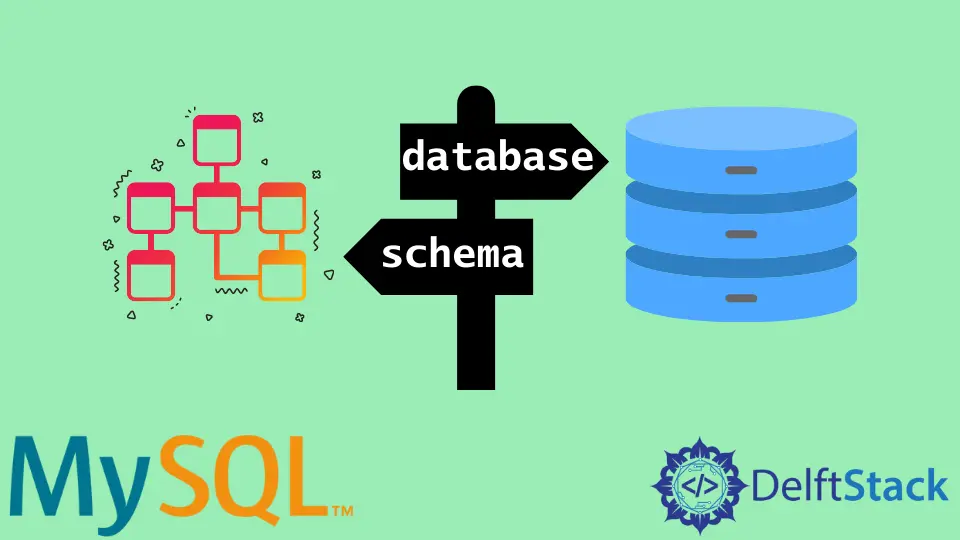
what is the difference between Schema and Database:

very, very simply described:
SQL DB engine, e.g. MySQL, MariaDB, PostgreSQL, .... is a complex environment for storing, managing, securing, ... of data
Database: deployed SQL DB engine
Schema: one instance (called also database) within the Database.
Then in a single Database, you can run many Schemas (NPM, ...) with many different users/privileges for the Schemas.
You can define which user is able to connect to the database from which host (localhost, defined IP, wildcard, ...).
When you don't have the correct setup within the Schema, you can't connect the Schema and you can receive finally also Bad Gateway in your Front end.
[automerge]1653312560[/automerge]
Btw, all the setup for Users and privileges is possible w/o a single CLI code, while you will use more useful tool like mentioned SQL Workbench.
I prepare each new SQL/Schema deployment in advance, including a clear set of user/host rights, which I would otherwise click on through the CLI for a long time.
Include the Backup/Restore procedure.
[automerge]1653312875[/automerge]
There's another handy tool that even runs from a USB stick - no need to install it. Unfortunately only for Win OS.


is much easier than Workbench. Ideal for fast user/host management and simple management tasks. However, it has the great advantage of supporting all SQL DBs directly.
 
Upvote 0
I muddled through this somewhat... and am near the finish line... 🏎️

But here...
RENAME USER 'telos'@'localhost' TO 'telos'@'%';
Errored out

ERROR 1396 (HY000): Operation RENAME USER failed for 'telos'@'localhost'

Probably as 'telos@localhost' exists... so I took a roundabout from your write-up... Bear with my insanity

DROP USER telos@'%'; FLUSH PRIVILEGES;

SELECT user, host FROM mysql.user WHERE host IN ('%', '127.0.0.1', '::1', 'localhost'); +-------------+-----------+ | User | Host | +-------------+-----------+ | root | % | | | localhost | | mariadb.sys | localhost | | mysql | localhost | | root | localhost | +-------------+-----------+ 5 rows in set (0.002 sec)

Telos gone... fine.

CREATE USER telos@localhost IDENTIFIED BY 'password';

SELECT user, host FROM mysql.user WHERE host IN ('%', '127.0.0.1', '::1', 'localhost'); +-------------+-----------+ | User | Host | +-------------+-----------+ | root | % | | | localhost | | telos | localhost | | mariadb.sys | localhost | | mysql | localhost | | root | localhost | +-------------+-----------+ 6 rows in set (0.003 sec)

As expected.
RENAME USER 'telos'@'localhost' TO 'telos'@'%';

SELECT user, host FROM mysql.user WHERE host IN ('%', '127.0.0.1', '::1', 'localhost'); +-------------+-----------+ | User | Host | +-------------+-----------+ | telos | % | | root | % | | | localhost | | mariadb.sys | localhost | | mysql | localhost | | root | localhost | +-------------+-----------+ 6 rows in set (0.002 sec)

OK... Now back to your procedure ...

SET PASSWORD FOR 'telos'@'%' = PASSWORD('xyz12345'); #where "xyz12345" is the pwd in my docker-compose file for telos MariaDB [(none)]> ALTER USER 'telos'@'%' PASSWORD EXPIRE NEVER; MariaDB [(none)]> GRANT ALL ON npm.* TO 'telos'@'%'; MariaDB [(none)]> FLUSH PRIVILEGES;

No errors!

Check the NPM config.json if you can find the same Usr/Psw there. When not - replace them.
I don't believe that exists ... at least in my mapped volumes

:~/docker/npm $ sudo find -name config.json

Should I restart the containers anyway... and hope?

Or ? Thanks.
 
Upvote 0
I don't believe that exists ... at least in my mapped volumes
1653377854310.webp

contains:
1653377523374.webp


This will only happen when you have this entry in your docker-compose in the "app" section:

YAML:
  volumes:
      - ./data:/data
      - ./certificate:/etc/letsencrypt
      - ./config.json:/app/config/production.json

in line with the official setup documentation:

Note: After the first run of the application, the config file will be altered to include generated encryption keys unique to your installation. These keys affect the login and session management of the application. If these keys change for any reason, all users will be logged out.

I know this is not common, but I read the documentation before deployment ;)
 
Upvote 0
Last edited:
After trying several times I am still facing “Bad Gateway”.

1. After making changes instead of logging into the db as:
sudo docker exec -it nginx_old_db_1 mysql -u root -p
I tried
sudo docker exec -it nginx_old_db_1 mysql -u telos -p
This failed.
Access denied for user 'telos'@'localhost' (using password: YES)

So I redid the user create to “localhost” instead of “%”, and telos logged in with the prescribed password.

After exiting SSH and restarting the stack... “Bad Gateway” remained.

2. I added
- ./config.json:/app/config/production.json
to my volume compose. After restarting the stack I looked for “config.json”... but unlike your screenshot it was a directory (empty), not a file.

Along with this change to the compose file is a repeating error in the npm container log:
zIR2pQX.png


3. While I'm ignorant of how these user properties relate to the “Bad Gateway”, they seem focused on the maria container, and I wonder why the npm container might not be the issue, as it is its login interface, I am unable to get beyond.

Thanks again for your continued inputs.
[automerge]1653410024[/automerge]
Now I've returned telos to "%" and the npm container app log is attached FWIW.
 

Attachments

Upvote 0
when you will try to use the tcpdump you will see why is the “502 or Bad Gateway” error related to communication from NPM with the DB.
Because it’s about opening session between app and DB. And the DB requires usr/psw first from the defined user@host, where the host must be diff. from localhost = because the request is coming from different host (NMP) IP address. And the user@host must be defined in the mysql table, otherwise it will reject the request as “bad user’s host” from the DB, which the app (NPM) will translate logically as 502.

Reason, why I have tested several different scenarios, incl. tcpdump investigation.

Recommendation:
- stop the current stack
- try to create a new mysql container
- use mysql official docker image instead the alpine custom mariadb (defined in the NPM)
- don’t forget to define volume mount (read carefully the container web)
- I would like to recommend also port mapping, instead default 3306
- install Sql Workbench and enjoy the intuitive GUI
- create new Schema e.g. ‘npm’
- create new User for the Schema (psw, host ‘%’,…)
- define the user privileges
- done
- create new NPM container
YAML:
version: "3"
services:
  app:
    image: 'jc21/nginx-proxy-manager:latest'
    restart: unless-stopped
    ports:
      # These ports are in format <host-port>:<container-port>
      - '80:80' # Public HTTP Port
      - '443:443' # Public HTTPS Port
      - '81:81' # Admin Web Port
      # Add any other Stream port you want to expose
      # - '21:21' # FTP
    environment:
      DB_MYSQL_HOST: "name of the mysql host"
      DB_MYSQL_PORT: port defined in the db, instead 3306
      DB_MYSQL_USER: "Schema user"
      DB_MYSQL_PASSWORD: "user psw"
      DB_MYSQL_NAME: "Schema name"
      
    volumes:
      - ./data:/data
      - ./letsencrypt:/etc/letsencrypt
      - ./config.json:/app/config/production.json

check if you can login.
When yes, we will try to backup/restore your old db, include the config files from old NPM.
 
Upvote 0
Last edited:
Before I walk down that path I have this running...

version: "3" services: app: image: 'jc21/nginx-proxy-manager:latest' restart: always ports: - '80:80' - '443:443' - '81:81' environment: DB_SQLITE_FILE: "/data/npm.sqlite" volumes: - /home/telos/docker/npm/data:/data - /home/telos/docker/npm/letsencrypt:/etc/letsencrypt

Seems "simple". Is this useful? Just curious. Can we recover from old npm to here? Shortcomings? Disadvantages? Thanks!
 
Upvote 0
not understanding one nuance of detail on this other than something broke...credit your patience for sticking with it...
 
Upvote 0
@Telos you can choose any path, it’s your choice

this is my point of view:
why don’t use single mysql for any containers (sql needs) as single well managed DB point. It’s more useful than several sqllite instances. You can copy, clone Schemas, manage users (sqllite doesn’t have users), …
You can avoid such cases as this one.
Yes sqllite perform great for apps like NPM (it’s a peanut).
maybe I like just clean architecture.Old school ;)
 
Upvote 0
I'm game to try mysql. If I get npm running, then maybe I'll try adding bookstack to the mysql db... Give me some time to ferret out a plan to get a mysql container running and npm connected. Appreciate the clues ;)
 
Upvote 0
it will probably be necessary to prepare a new one resource for a clean SQL engine containerized operation
 
Upvote 0

Create an account or login to comment

You must be a member in order to leave a comment

Create account

Create an account on our community. It's easy!

Log in

Already have an account? Log in here.

Popular tags from this forum

Thread Tags

Welcome to SynoForum.com!

SynoForum.com is an unofficial Synology forum for NAS owners and enthusiasts.

Registration is free, easy and fast!

Back
Top