
I got prompted to update my DS1821+ to 7.2.2-72806 Update 4 today which I did, and it all seemed to go well, then hours later (when I was asleep in bed) I started to get alerts that things on my network were offline (I run my internal DHCP and DNS on my Synology, so if it goes offline, most of my LAN devices do as well). I go to my Synology and the status light is solid green, power is solid blue, but no drive LEDs are blinking. Synology Assistant can't find my Synology on the network! (And it has a manually set static IP, so does the system I'm on, so this is a serious situation.) I hold down the power button on the Synology to start a soft shutdown, and it starts blinking, but the Synology does not shut down, and there is no drive activity. After 20 minutes of waiting with the power LED blinking, I force it off by holding down the power button until it shuts off, and then power it back up, and it does a normal boot up. Log Center doesn't show anything unusual other than the report of the improper shutdown that got logged when I booted it back up. Data scrubbing is running as a result of the improper shutdown. Storage Manager shows all drives as healthy. Anyone else experience this? Any ideas how I can figure out what actually happened?
Follow along with the video below to see how to install our site as a web app on your home screen.

Note: This feature may not be available in some browsers.
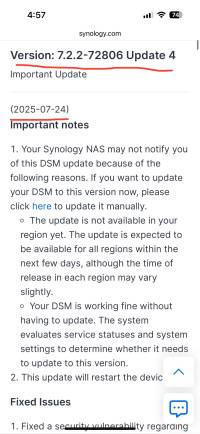
DSM Update Version: 7.2.2-72806 Update 4
- Thread starter SynoMan
- Start date
- Latest activity Latest activity:
- Replies 45
- Views 9,234


Popular tags from this forum
Similar threads

I did the update on teh 2423RP+ and 1821+, both seemed to reboot fine and have run for 24 hours with no...

Revisit an hour or more later.
No subsequent issues. All at -2: are working fine
Just to be a bit anal...


I installed the update on my hoard of nas devices.
If you have a lot of users (9000+ in my case) and a...

DSM Update
Version: 7.3.2-86009
First post, just joined a few minutes ago.
A few weeks ago, I was on Synology's website and saw that DSM...
DSM Update
Version: 7.3.1-86003 Update 1
Awoke to find another 7.3.1-1 Roll Out awaiting on 718+.
(Yesterday verified second 7.3.1-1 worked with...
DSM Update
Version: 7.3.1-86003
Hours later, without Hybrid Share & Active Update. All 3 still fine! 718+, on it’s last update still has...
Thread Tags
Welcome to SynoForum.com!
SynoForum.com is an unofficial Synology forum for NAS owners and enthusiasts.
Registration is free, easy and fast!